Unityで外部テキストファイルを読み書きしてみる。そのあとで画像の読み込みもする。
環境
Unity4.1.5
Windows7 64bit
Path
まずはPathを調べる。
using UnityEngine;
using System.Collections;

public class Camera : MonoBehaviour {
	private string pathtxt = "";

	// Use this for initialization
	void Start () {
		string txt = Application.dataPath;
		string txt2 = Application.persistentDataPath;
		pathtxt = "dataPath:"+txt+"\npersistentDataPath:"+txt2;
		Debug.Log(pathtxt);
	}

	// Update is called once per frame
	void Update () {

	}

	void OnGUI(){
		GUI.TextArea(new Rect(5,5,Screen.width,50), pathtxt);
	}
}
UnityEditorで実行した場合

ちなみにProjectは以下にある。 C:\Users\***\Documents\tryExternalText
Windowsアプリ化した場合
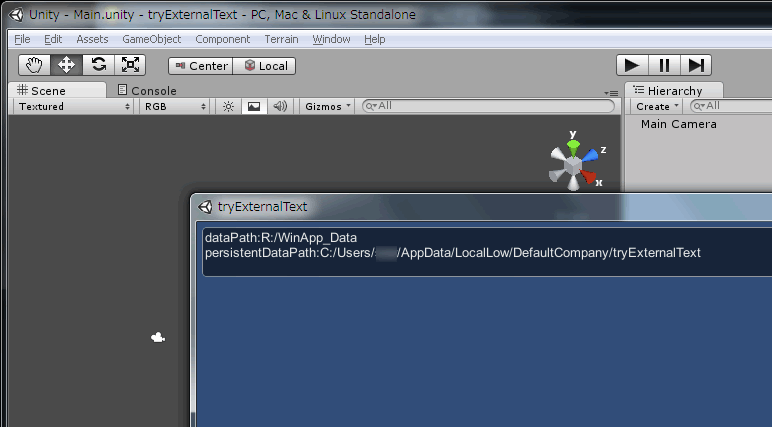
ちなみに Z:\WinApp.exe にexeを配置している。これだけでは動作しないので、Z:\WinApp_Data (フォルダー) も配置した。
ところでCamera.csというファイルはシステムでも使われてるのでファイル名変えてくれ、とUnityから警告されていた。Main.csに変更する。
ファイル書込
次にファイルを書き込んでみる。このソースコード Main.cs は、Unity+MonoDevelopのデフォルト環境で作成したが、文字コードはUTF-8 BOMなし LF だった。
using UnityEngine;
using System.Collections;
using System.IO; //System.IO.FileInfo, System.IO.StreamReader, System.IO.StreamWriter
using System; //Exception
using System.Text; //Encoding

public class Main : MonoBehaviour {
	private string guitxt = "";
	private string outputFileName = "tryExternalText.txt";
	// Use this for initialization
	void Start () {
		string txt = Application.dataPath;
		string txt2 = Application.persistentDataPath;
		guitxt = "dataPath:"+txt+"\npersistentDataPath:"+txt2+"\n";
		ReadFile();
		Debug.Log(guitxt);
	}

	// Update is called once per frame
	void Update () {

	}

	void OnGUI(){
		GUI.TextArea(new Rect(5,5,Screen.width,50), guitxt);
	}

	void WriteFile(string txt){
		FileInfo fi = new FileInfo(Application.dataPath + "/" + outputFileName);
		using (StreamWriter sw = fi.AppendText()){
			sw.WriteLine(guitxt);
		}
	}

	void ReadFile(){
		FileInfo fi = new FileInfo(Application.dataPath + "/" + outputFileName);
		try {
			using (StreamReader sr = new StreamReader(fi.OpenRead(), Encoding.UTF8)){
				guitxt = sr.ReadToEnd();
			}
		} catch (Exception e){
			guitxt += SetDefaultText();
			WriteFile(guitxt);
		}
	}

	string SetDefaultText(){
		return "C#あ\n";
	}
}
なんだか書き込むとき文字が化ける。
UTF-8の「あ」は 0xE3 0x81 0x82 なのだが、書き込まれたバイト列は 0xE7 0xB8 0xBA 0x3F 0x6E だった。後半の2バイトは"C#あ\n"の後ろの \ n なのか。ちなみにこの \n をソースコードから除去すると parsing error でUnityでコンパイル・実行できない。
ファイル読込
いっぽう読み込みは‥‥

tryExternalText.txtの中身を書き換えてやると、読み込みは問題ない。WinApp化しても同じだった。
外部画像ファイルを読み込む
次は外部JPGファイルを読み込む。Planeのテクスチャーとして貼る。
ちなみに Camera pos(0,10,0) Rot(90,0,0) scale(1,1,1)
Plane pos(0,0,0) Rot(0,0,0) scale(1,1,1)
using UnityEngine;
using System.Collections;
using System.IO; //FileStream

public class Plane : MonoBehaviour {
	private string imgFile = "unsplash.com-rula-sibai-pink-flowers-small.jpg";

	// Use this for initialization
	void Start () {
		Texture2D tex = new Texture2D(0,0);
		tex.LoadImage(LoadBin(Application.dataPath + "/" + imgFile));
		gameObject.renderer.material.mainTexture = tex;
	}

	// Update is called once per frame
	void Update () {

	}

	byte[] LoadBin(string path){
		FileStream fs = new FileStream(path, FileMode.Open);
		BinaryReader br = new BinaryReader(fs);
		byte[] buf = br.ReadBytes( (int)br.BaseStream.Length);
		br.Close();
		return buf;
	}
}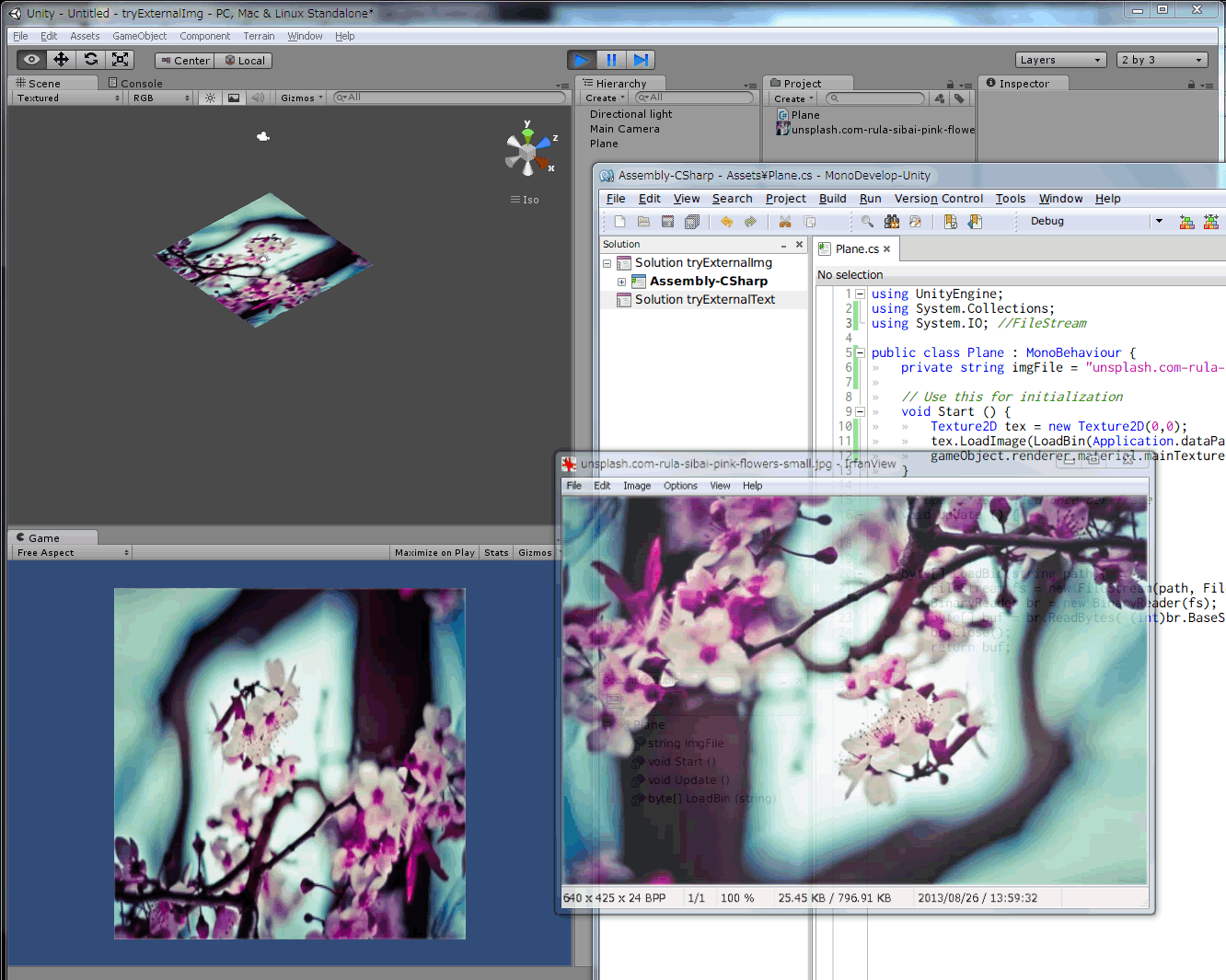
画像ファイルは http://unsplash.com/ のPublic domain画像を使用。
Planeのサイズを画像の縦横比とあわせないといけないのか。
元画像と上下も反転してるが、これは Camera Rot(90,180,0)にしたら直った。

